Everything in the building, on one menu.
Ordering, bookings, food cost, suppliers and the team — filed by the problem they answer, not by what the software does. Find yours in one read.

Revenue & insights
Know what sold, what almost sold, and what caused the difference.
- Dish reviewsAsk about the dish, not about the restaurant.
- Revenue & attributionEvery pound, traced to what caused it.
- AnalyticsWhat sold, what nearly sold, and what got ignored.
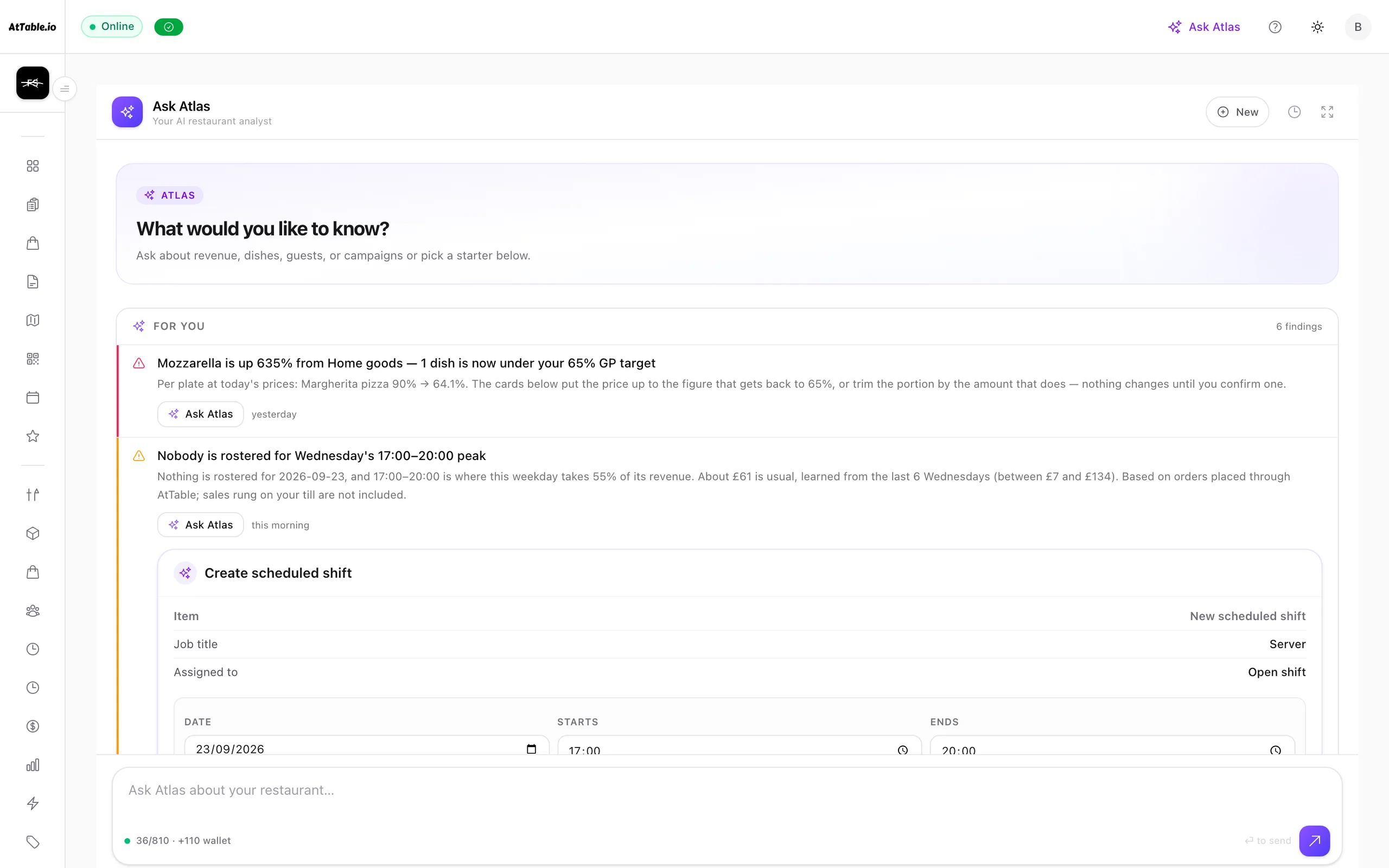
- AI insightsThree things to fix before service, ranked.
- Guest intelligenceKnow the table before you get to it.
- Automated messagingThe right message, without anyone remembering.
- Discounts & promotionsGive something away and know what it bought.
- CampaignsReach the guests it is worth reaching.
Ordering
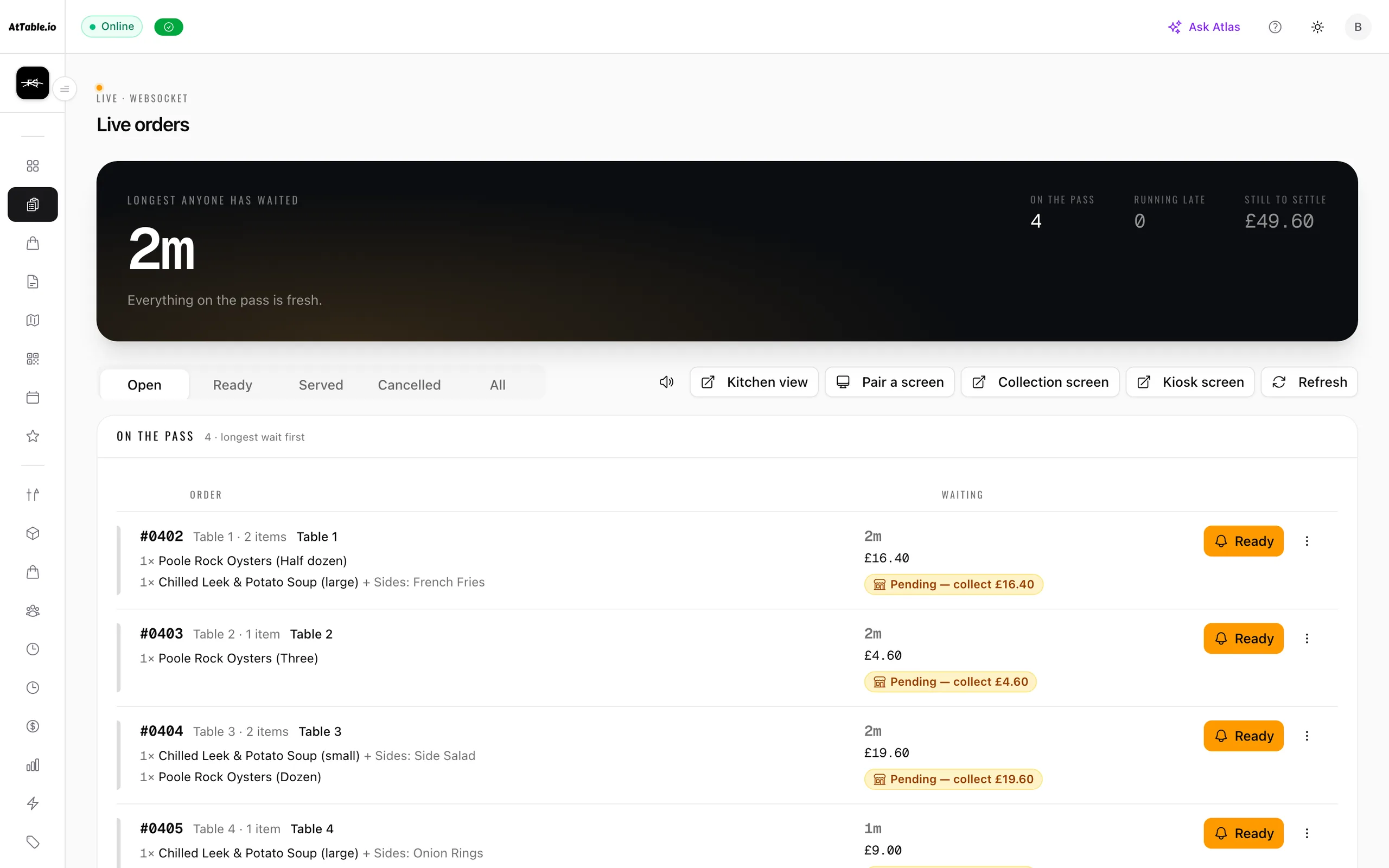
Take the order at the table, the counter or the kerb, and get it to the kitchen.
- QR orderingScan. Browse. Order. Nobody had to walk over.
- Digital menusNot a PDF. A menu worth reading.
- Live ordersThe floor, as it is right now.
- Kitchen displayFrom phone to pass the moment it is sent.
- Guest paymentsThey pay from the table. The money is yours.
- Dish recommendationsThe right dish, while they are still deciding.
- Sage AI waiterSage answers the questions nobody has time for.
Bookings
Fill the diary — and give a forgotten table a chance to be sold again.
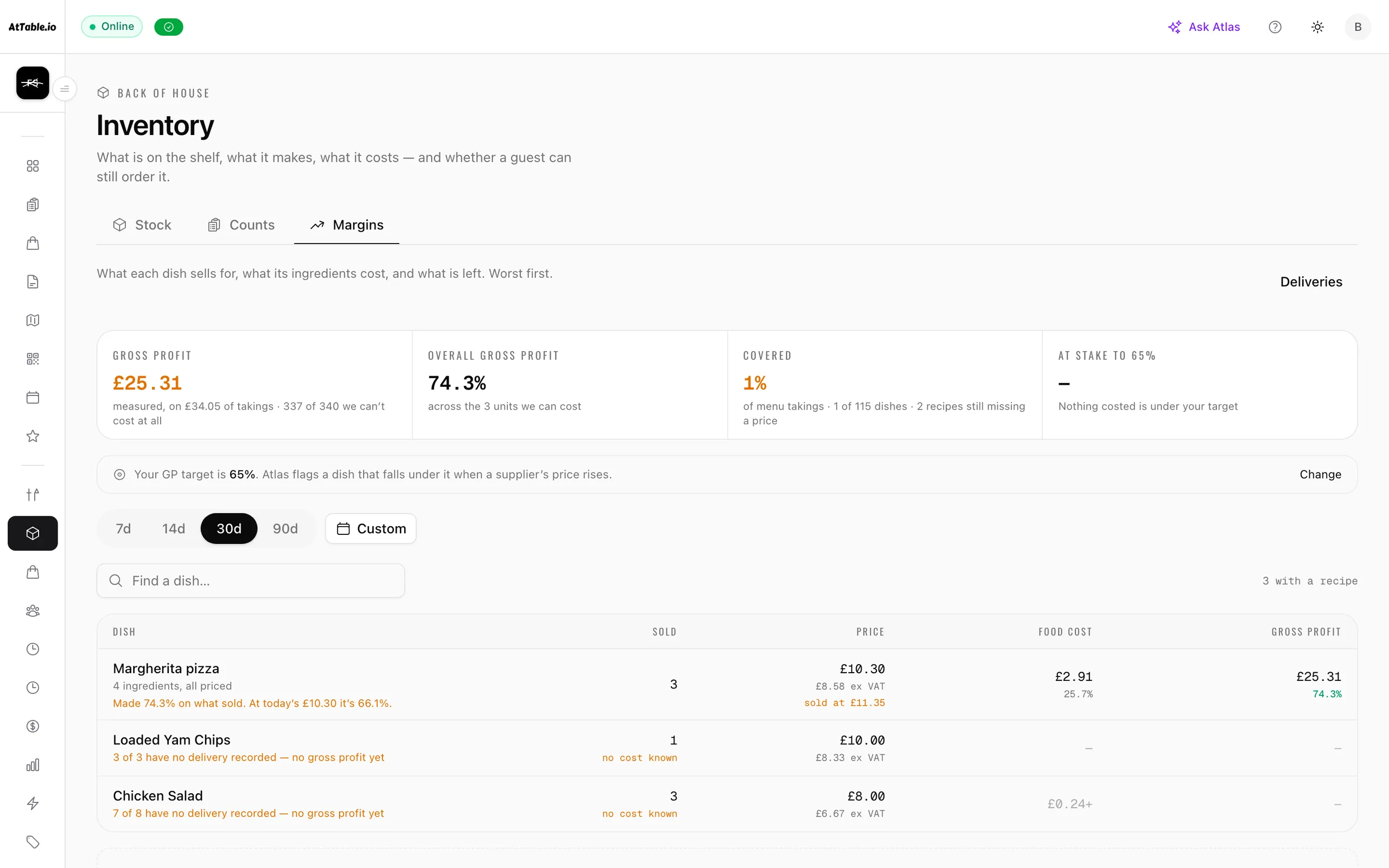
Food cost & stock
Cost the menu on what you are actually paying for the food.
Suppliers
Compare what you ordered, what arrived, and what you were billed for.
Team & shifts
Build the rota, publish it once, and know who did what on the floor.
Guest behaviour, turned into decisions you can act on.
Atlas reads how guests explore the menu against what they actually order, explains why a dish sells or doesn’t, and drafts what to do next. A recommendation with its reason attached — and nothing changes until you approve it.
- 01CollectWhat guests open on the menu, what they order and what they pay — everything the rest of AtTable records.
- 02AnalyseMenu, guests and money read together: what almost sold, who stopped coming, what a discount gave away.
- 03RecommendA short list ranked by the money at stake, each with the figures it was drawn from.
- 04ActivateThe change arrives drafted — a price, a description, a win-back — and nothing runs until you approve it.
- 05MeasureWhich suggestions you acted on and what happened next, so one that never works stops being made.

The parts that never got a page.
Shipped, working, and running under the twenty above.
- Staff order entryA built-in till screen for taking an order on behalf of a guest — floor plan, menu grid, modifiers, counter and takeaway mode, and recorded tenders including cash, card, comp and write-off. Rounds rung while the network is down are held on the device, print a kitchen ticket, and replay in order once it returns. It is order entry and tender recording, not an EPOS replacement: no cash-drawer control and no X/Z report.
- Pickup and deliveryGuests can order for collection or delivery from the same menu, with delivery run by your own driver. Included in every plan; booking a courier automatically is coming soon.
- Multilingual menusDish names and descriptions can be translated so a guest reads the menu in their own language. Sold as a module.
- Menu design and brandingColours, fonts, buttons and layout of the guest menu, plus logo and QR styling, so what a guest opens looks like the venue rather than like software. Branded email templates use the same identity.
- Group ordering at one tableSeveral guests on their own phones can build one table’s order together and split the bill afterwards, without handing a phone around.
- TipsTips are taken at checkout and recorded as a slice of the payment rather than inferred from an overage, so they report per person for distribution.
- Multiple locations under one accountVenues sit under one organisation with a shared dashboard and regional roles. One location on Starter, up to five on Pro, up to ten on Growth, more on Enterprise.
- VAT and tax handlingVAT registration and rates are held per venue and applied through pricing, margins and reporting rather than bolted on at the end.
- Your data, exportableOrders and reporting export to CSV, and a webhook API plus developer access is available for venues moving data into their own tools.
- A daily summary emailYesterday’s trading measured against the venue’s own normal, sent each morning, so the numbers arrive without anybody opening a dashboard.
- Clover
- Square
- Stripe
- SumUp
- Resend
- Twilio
- Webhooks
- Mailchimp
- Toast
- Lightspeed
- Deliverect
Ready to understand your guests?
We'll walk your menu, your floor and your numbers, and show you what it looks like on your own service.
45 days to go live · 21 days free once you're live · No card required · No minimum term