

Know what is on the shelf. Order it before it runs out.
Dishes are costed to their ingredients, so service takes the stock with it. When something drops to its reorder point it lands on a shopping list already grouped by supplier — with the covers you have booked counted in.
- Depletes as you sell
- Counts the diary in
- One order per supplier
What it does
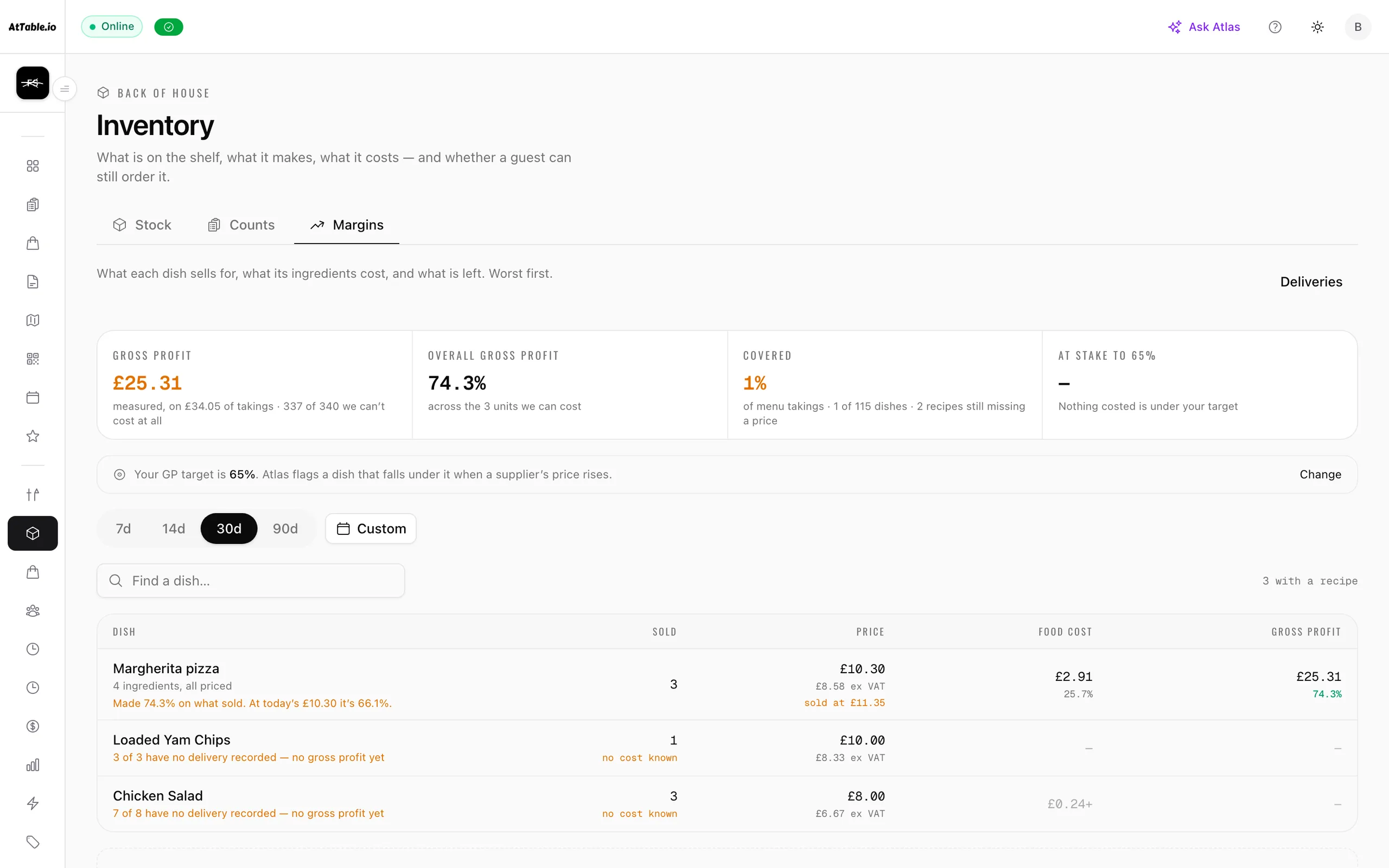
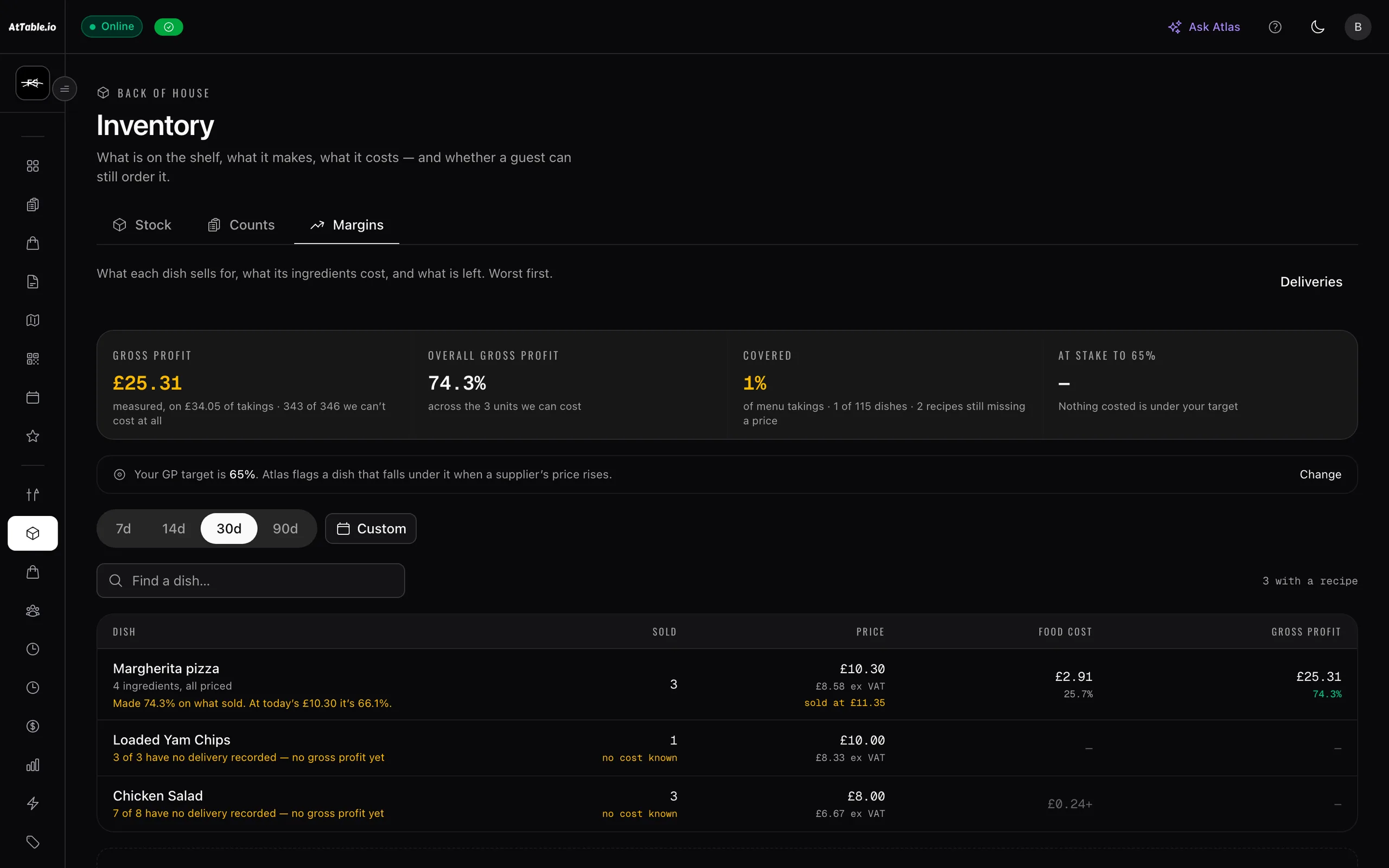
Cost the menu on what you are actually paying for the food.
- The shelf moves as you sell
- Recipes map dishes to ingredients, so an order taken at a table takes the stock with it. “Only two left” stops being a label on a menu and starts refusing the third one at checkout.
- Stock counts keep it honest
- On-hand only moves for what the software saw — never for waste, staff meals, comps or over-portioning — so it drifts. Counting a shelf writes the difference to the ledger as one figure, which is why the count and the ledger cannot disagree.
- Two numbers, not one
- Reorder when it drops to this, top back up to that. The screen says what the pair will actually do, including the two ways of filling them in that mean an ingredient is never ordered at all.
- The diary is part of the order
- Suggested quantities add the covers you have booked above your usual run rate, learned from the last twenty-eight days. Your top-up levels already cover an ordinary week, so only the excess is new information.
- Orders a supplier can answer
- One order per supplier, sent as a link. They accept, amend or price it without an account, and they never see your stock, your top-up levels or the reasoning that produced the quantity.
- Receive it, then check the bill
- Signing for a delivery puts what actually arrived on the shelf, split deliveries included. The invoice is then read against the order and the delivery, and what you owe is the accepted quantities at the agreed prices — not whatever the total at the bottom says.
See it
Example data
£412
- Lines
- 5
- Suppliers
- 2
- Out of stock
- 1
- Beef topsideFenn Butchers · +18 covers booked Sunday4.2 kgreorder at 10 kg25 kg
- Ribeye · 250gFenn Butchers6reorder at 122 cases · 24
- Sourdough loafCotton & Vine0reorder at 618
- BurrataCotton & Vine2reorder at 81 case · 12
- Rapeseed oil · 5LCotton & Vine1reorder at 24
The beef is 25kg rather than 15kg because Sunday is carrying eighteen covers more than an ordinary week. Only the excess is added — your top-up levels already buy for a normal Sunday, and counting the whole forecast would order it twice.
How it runs
In order
- Thu 21:30
Service empties the shelf
Forty covers of the ribeye come off the stock as they are ordered, not at a stocktake three weeks later.
- Fri 07:00
It crosses its reorder point
The ingredient joins the suggested order, at the quantity that takes it back to its top-up level, on the supplier your preference gives it to.
- Fri 08:00
Your ordering day
On the weekday you set for that supplier, an email arrives with what has dropped. Nothing to order, nothing sent.
- Mon 07:15
The van arrives
You sign for what is actually on it. Short deliveries and substitutions go on the shelf as what came, not as what you asked for.
- Mon 16:40
The invoice is checked
Priced higher than agreed, billed for more than arrived, delivered and never billed — each is named, with the difference in pounds.

What changes
Tonight, versus tonight with it on
- You find out you are out of something when a table orders it.
- It was on a shopping list the moment it crossed its reorder point.
- A big Saturday is bought for from memory the day before.
- The covers already booked are added to the order a week out.
- Invoices are paid because they arrived, not because they were right.
- You pay for what you accepted, at the price you agreed.
- Food cost is a number your accountant tells you about in arrears.
- Purchased against theoretical usage against counted, per ingredient.
Where it sits
One system, five pillars
Stock & purchase orders is part of food cost & stock.
Cost the menu on what you are actually paying for the food. It runs on the same menu, the same tables and the same bill as everything else here — nothing to integrate, nothing to reconcile.
Compare what you ordered, what arrived, and what you were billed for.
Supplier control
Know what sold, what almost sold, and what caused the difference.
Dish reviews · Revenue & attribution · Analytics · AI insights · Guest intelligence · Automated messaging · Experiments · Discounts & promotions · Campaigns
Take the order at the table, the counter or the kerb, and get it to the kitchen.
QR ordering · Digital menus · Live orders · Kitchen display · Guest payments · Dish recommendations · Sage AI waiter
Fill the diary — and give a forgotten table a chance to be sold again.
Bookings & events
Build the rota, publish it once, and know who did what on the floor.
Team & shifts