

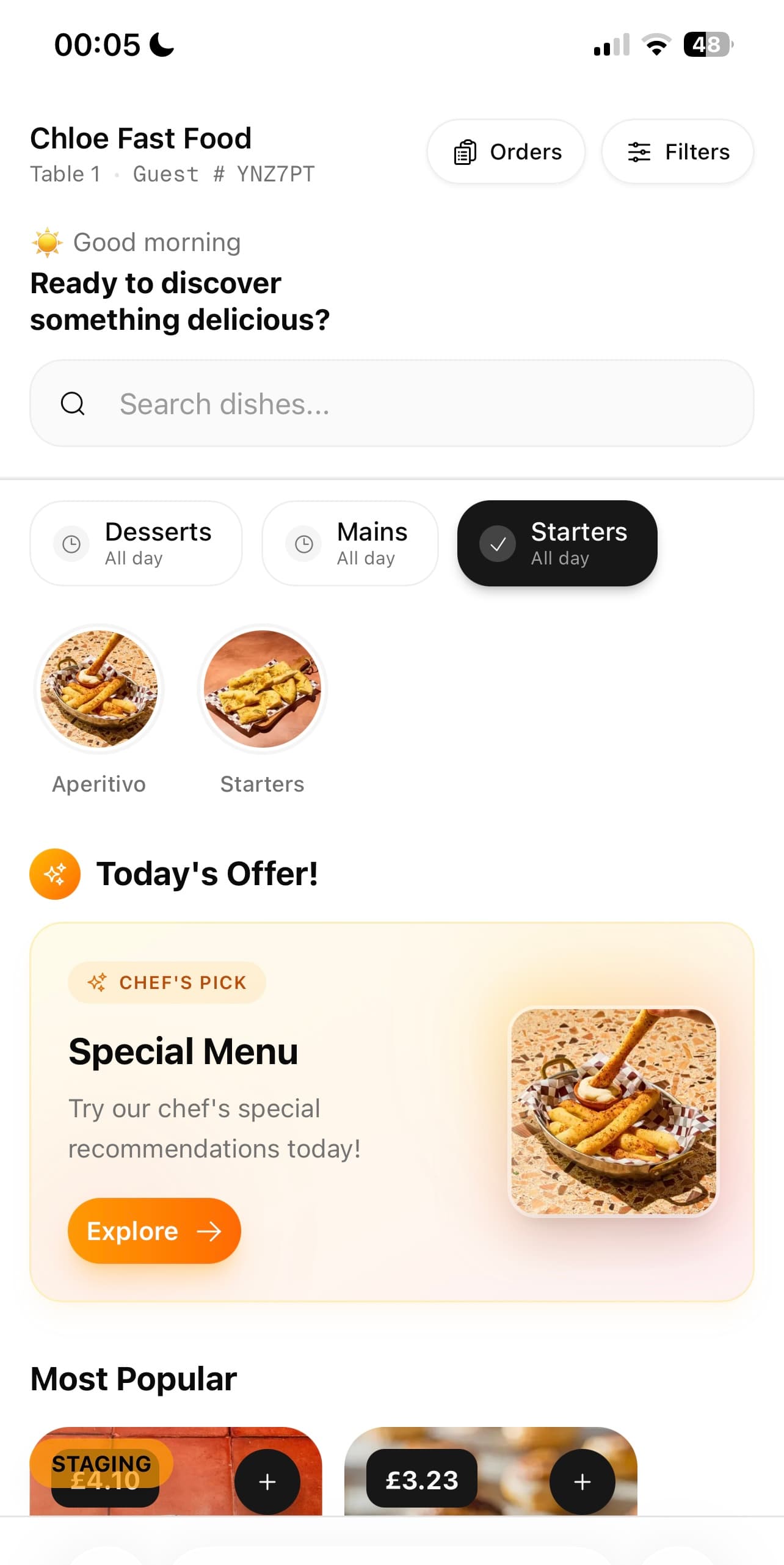
What it does
Take the order at the table, the counter or the kerb, and get it to the kitchen.
- Photographs that follow the dish
- Upload a picture once and it appears everywhere that dish does — the menu, the cart, the receipt, the review request. No second library to keep in step.
- Filters, not warnings
- Vegetarian, vegan, gluten-free, halal, nut-free and the rest. Turn one on and the menu shows only what is safe, rather than making the guest audit it themselves.
- Changed in seconds
- Sell out of the sea bass at 20:15 and it is off the menu at 20:16. Reprice, reword and reorder without reprinting anything.
- Reads like your room
- Typeface, colour, card treatment and header image are yours to set, so the menu looks like the restaurant rather than like software.
- In their language
- Menus can be translated per dish and served automatically to guests whose phone is set to that language.
See it
Example data
| What it has to do | Printed | A PDF | AtTable |
|---|---|---|---|
| Readable on a phone | Yes | No | Yes |
| A photograph on every dish | No | No | Yes |
| Changed during service | No | No | Yes |
| Filters by allergen | No | No | Yes |
| Translated per guest | No | No | Yes |
| Guests can order from it | No | No | Yes |
| Tells you what got looked at | No | No | Yes |
| Costs nothing to change | No | Yes | Yes |
What changes
Tonight, versus tonight with it on
- A PDF that pinches and zooms and was last accurate in spring.
- A menu built for a phone, correct as of this service.
- A guest asks the server which dishes are gluten-free, and hopes.
- They tap a filter and see only what they can eat.
- Reprinting the menu to change one price.
- Changing one price.
Where it sits
One system, five pillars
Digital menus is part of ordering.
Take the order at the table, the counter or the kerb, and get it to the kitchen. It runs on the same menu, the same tables and the same bill as everything else here — nothing to integrate, nothing to reconcile.
Know what sold, what almost sold, and what caused the difference.
Dish reviews · Revenue & attribution · Analytics · AI insights · Guest intelligence · Automated messaging · Experiments · Discounts & promotions · Campaigns
Fill the diary — and give a forgotten table a chance to be sold again.
Bookings & events
Cost the menu on what you are actually paying for the food.
Stock & purchase orders
Compare what you ordered, what arrived, and what you were billed for.
Supplier control
Build the rota, publish it once, and know who did what on the floor.
Team & shifts