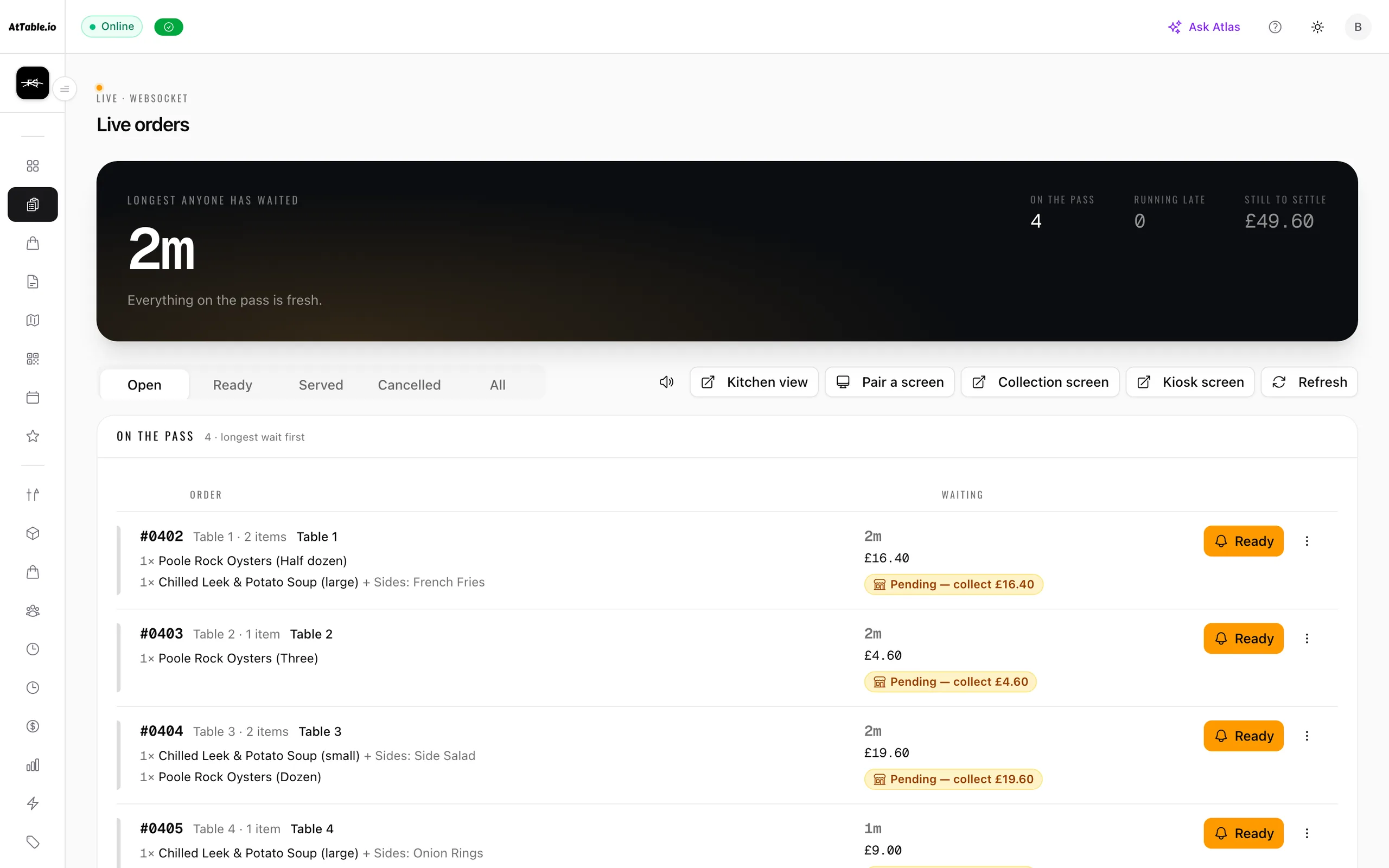
The floor, as it is right now.
Every open ticket, what it has ordered, how long it has been waiting and whether it is paid — longest wait at the top.
- Sorted by wait
- Promised times shown
- Updates live
What it does
Take the order at the table, the counter or the kerb, and get it to the kitchen.
- Sorted by who is waiting longestThe board leads with the ticket that has been open the longest, so the thing you should look at is the thing at the top.
- Heat, not decorationA ticket warms from plain to amber to ember as it ages. The colour is telling you how long something has been sitting, and nothing else on the screen is allowed to use it.
- Pickup and delivery in the same railOff-premise orders sit alongside the tables with their promised times, so one person can run the whole floor from one screen.
- Paid or not, at a glanceEach ticket says whether it is still owed, and one paid at the counter can be marked paid in one tap. The full bill and card payment are on the till.

The whole room ordering at onceFri 20:30
Where it sits
Live orders is part of ordering.
It runs on the same menu, the same tables and the same bill as everything else — nothing to integrate, nothing to reconcile.
Revenue & insights
Know what sold, what almost sold, and what caused the difference.
Team & shifts
See all twenty features Build the rota, publish it once, and know who did what on the floor.
Start here
Run the floor from one screen.
Tables, tickets, waits and bills — in one place, updating as service happens.
45 days to go live · 21 days free once you're live · No card required · No minimum term