

See where your restaurant is making money — and where it's leaking.
AtTable brings your ordering, bookings, food costs and supplier activity into one place, helping you spot missed revenue, reduce avoidable losses and make better decisions with the numbers behind your business.
- See what almost sold
- Reduce avoidable no-shows
- Track real food costs
- Catch supplier invoice differences
£18,410
£842
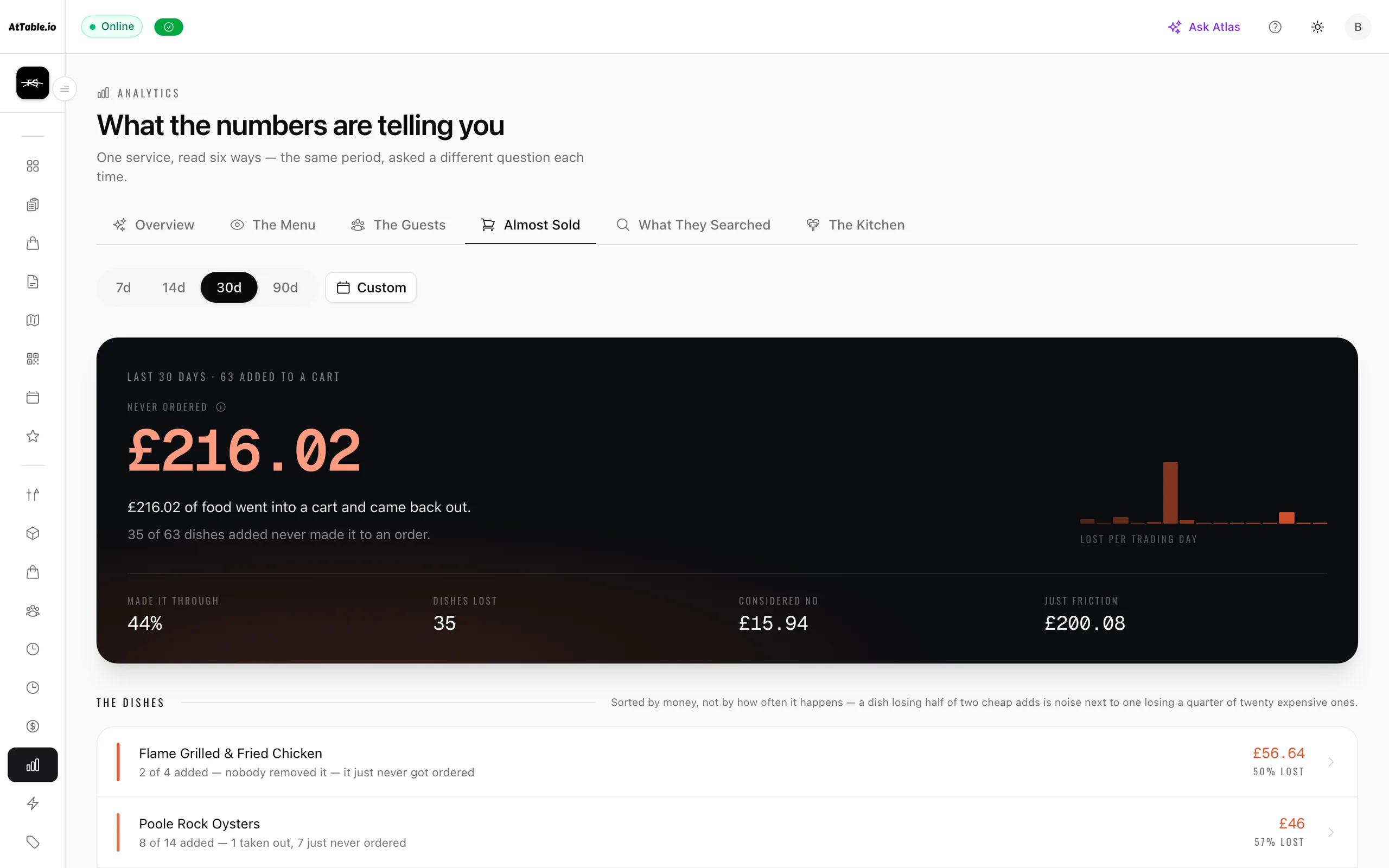
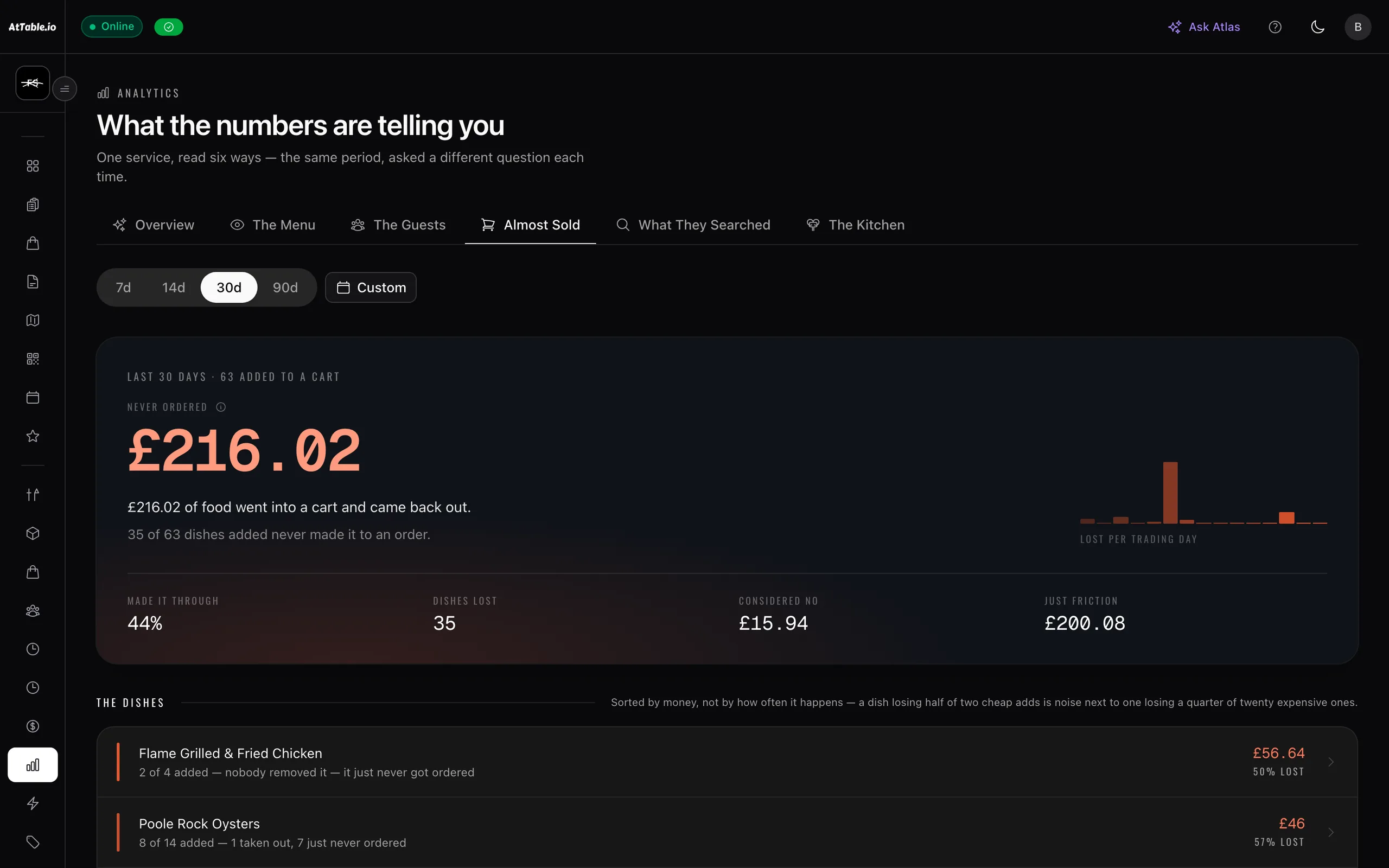
Guests reached the cart and left without ordering.
8 carts left · £40.75 average
See which dishes were in them
RevenueThe problem
Busy is not the same as profitable
The money you lose isn't always obvious.
A restaurant can be busy and still lose money. Guests leave before completing an order. Tables go empty after forgotten bookings. Supplier prices change between deliveries. An invoice arrives that doesn't match what was ordered or received.
The problem isn't always knowing that costs and revenue matter. It's seeing where the difference happened early enough to do something about it.
Guests change their minds
They browse, add items to their cart and leave without ordering. AtTable shows what almost sold and where orders are being lost.
Tables stay empty
A guest books and simply forgets to cancel. AtTable sends reminders and gives guests a simple way to cancel, helping put the table back into circulation.
Supplier prices move
The price on your latest delivery isn’t necessarily the price you paid last time. AtTable records price history from delivery and receipt data so you can see what changed.
The invoice doesn’t match
You ordered one thing, received another and were billed for something else. AtTable compares what was ordered, received and invoiced, flagging differences for review.
The system
One login, one bill
One system. Four places to take control.
01 · Revenue
Interest that never became an order
Find the money that almost made it to the till.
Not every lost sale looks like a lost sale. A guest may browse your menu, add items to their cart and leave. A campaign may generate orders — or simply discount customers who would have ordered anyway.
AtTable helps you see what happened between interest and revenue.
- What almost sold
- Dishes and items that reached the cart and did not become an order, ranked by what they were worth at your own prices.
- Abandoned order insight
- Where guests leave the ordering journey — opened and never added, added and never checked out, checked out and never paid.
- Dish performance
- Which items are carrying the menu, which are being opened and passed over, and which nobody ever reaches.
- Campaign attribution
- Orders connected back to the campaign, code or link that influenced them, so a promotion has to show its working.
Don’t just look at what you sold. See what you nearly sold.
02 · Bookings
The table you could still have sold
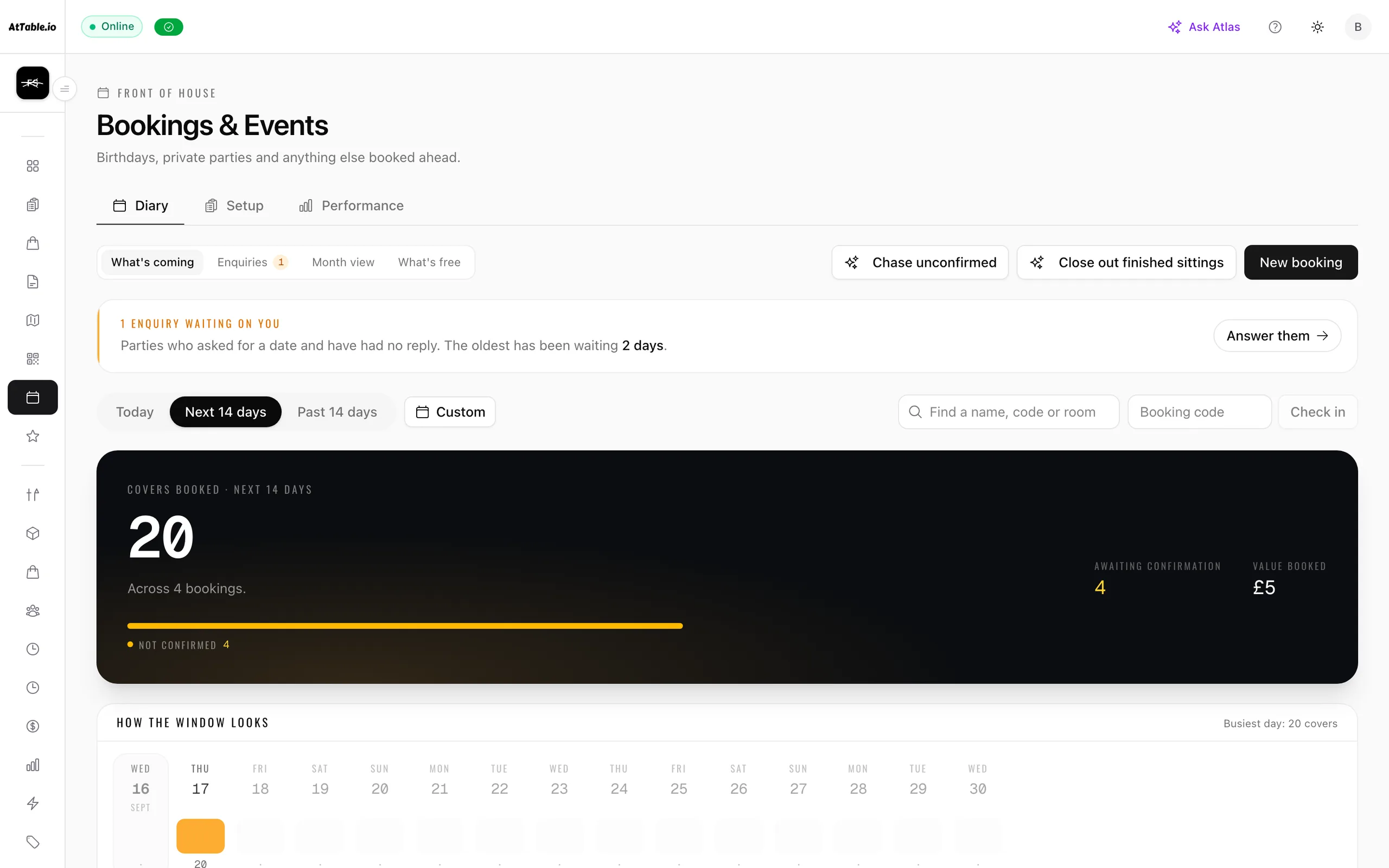
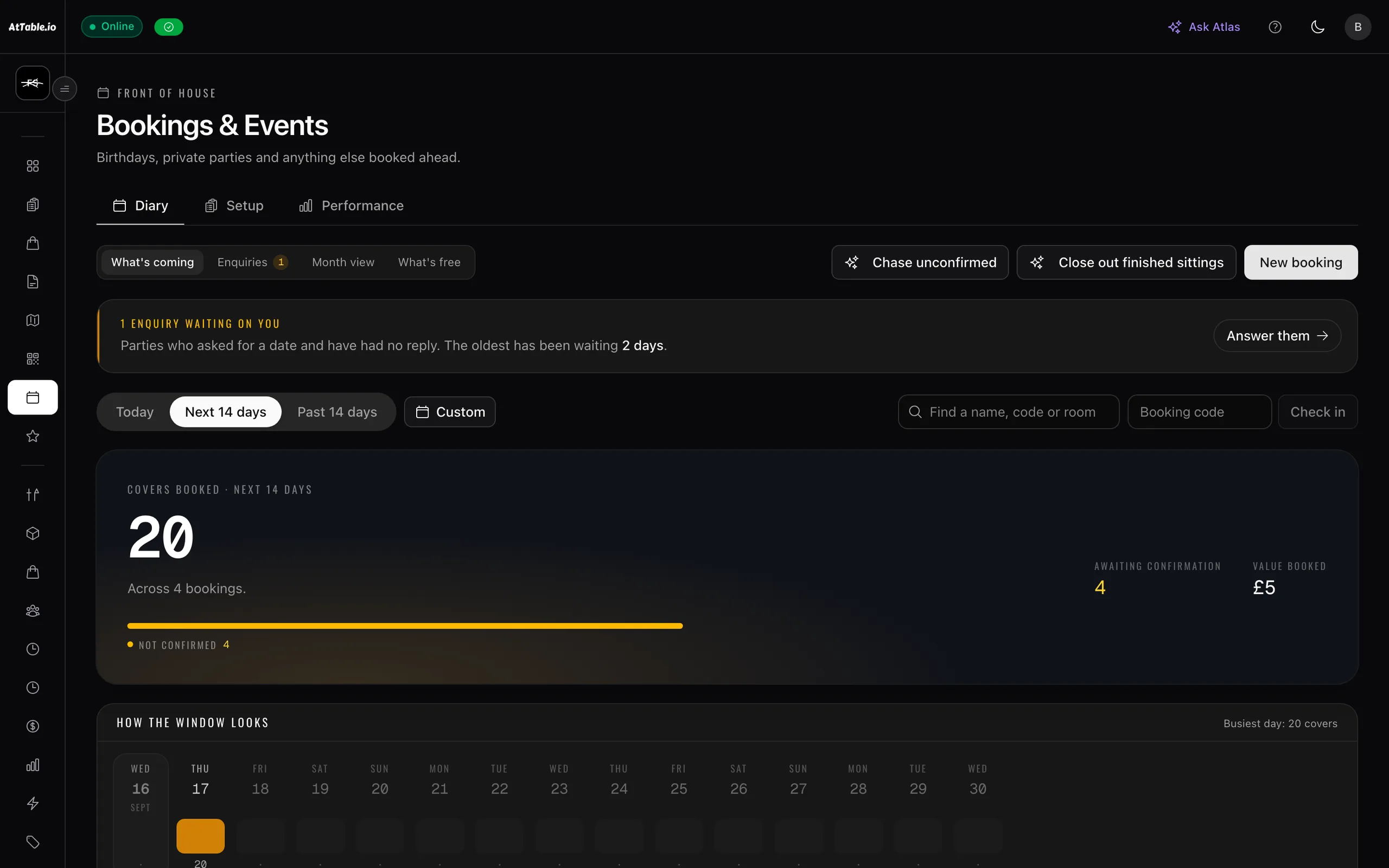
A forgotten booking shouldn't automatically become an empty table.
No-shows are not always deliberate. Sometimes guests simply forget, or no longer need the table.
AtTable helps make cancellation easy, so you have a better chance of knowing the table is available before service begins.
- A booking page of your own
- A page per venue you can link from your site, your Google listing and your bio — taking bookings, and deposits where you want them, with no per-cover commission.
- Reminders that can be acted on
- One reminder a day ahead of the sitting, carrying the cancel link. It is treated like a receipt, not marketing — it goes whatever else is switched off.
- One-tap cancellation
- No phone call to make and nothing to put off until tomorrow. Capacity is released the moment it lands.
- Deposits where they fit
- Card deposits on the bookings that warrant them, credited against the bill on the night — and an optional hold that releases an unpaid table rather than leaving it blocked.
- Phone bookings, events and groups
- Staff take a booking on the same diary, with packages, pre-orders and whole-space hire on the bookings that need them.
Give guests an easy way to cancel. Give your tables a chance to be filled.
03 · Food cost
Priced on this week, not last year
Your food costs shouldn't be based on last year's prices.
Ingredient prices change. If your recipe cost is based on a number entered months ago, it can quickly stop reflecting what you're actually paying.
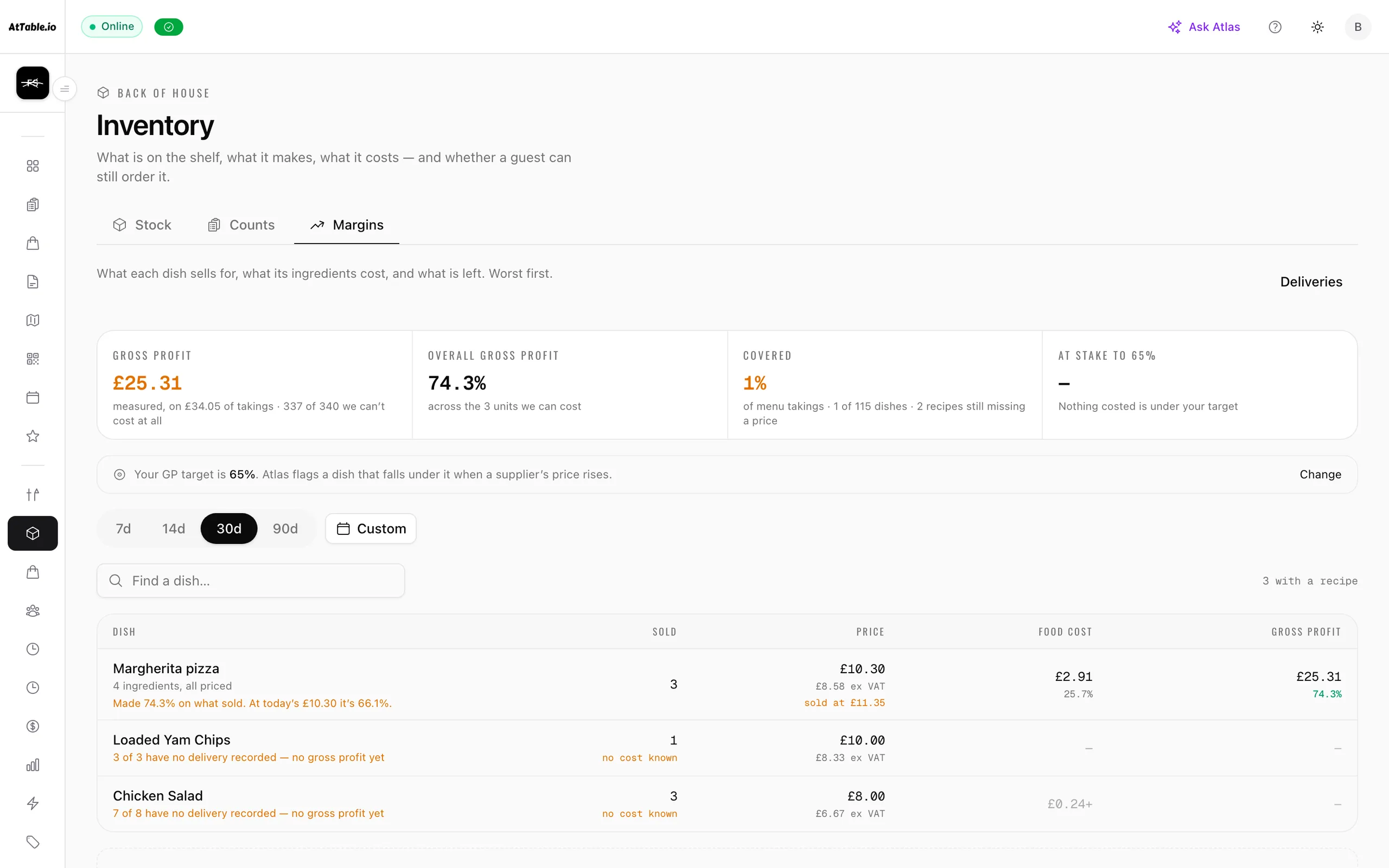
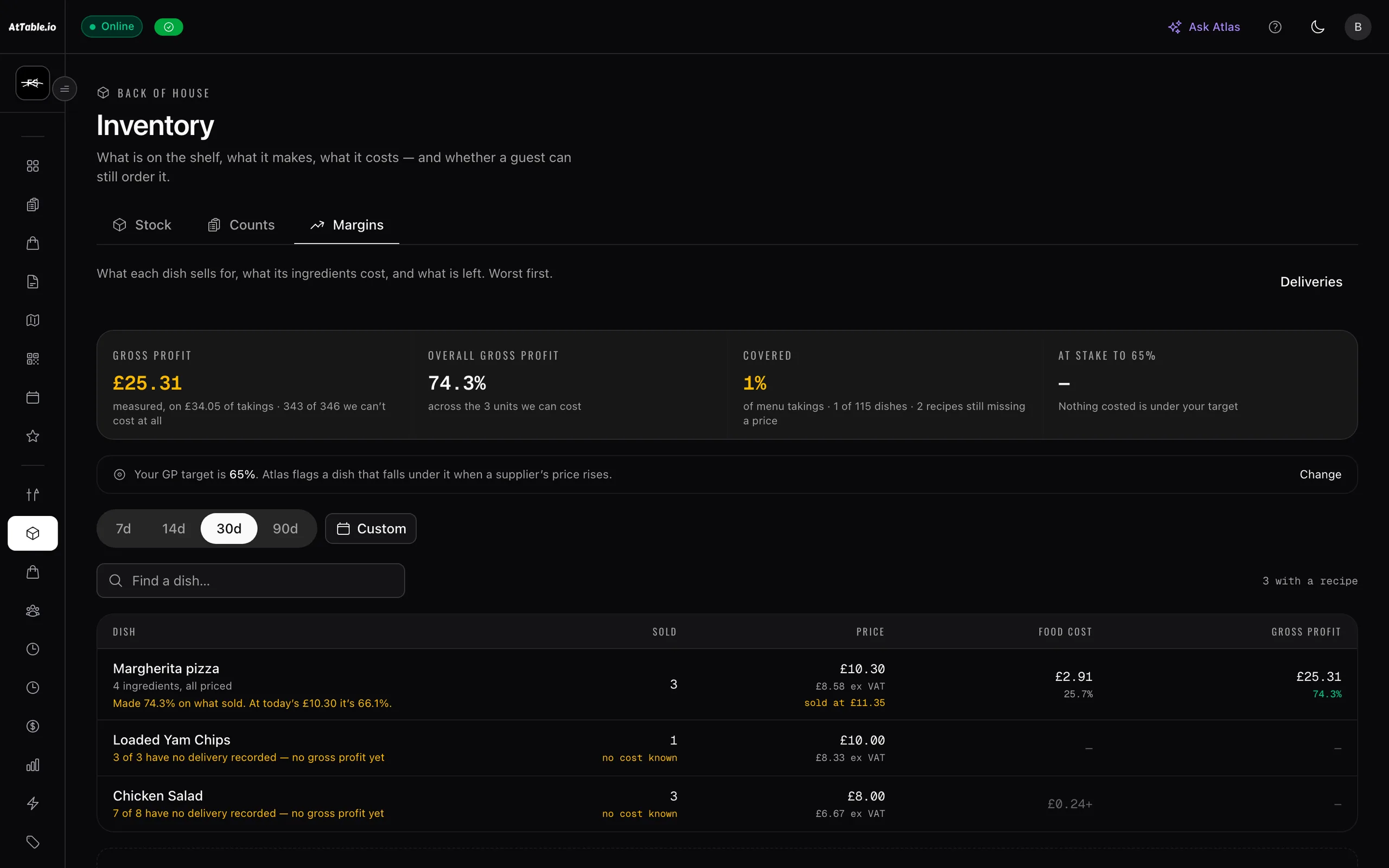
AtTable connects recipe and stock costing to your delivery and receipt data. There is no “cost” field on an ingredient to keep up to date — a dish is costed from the delivery notes, at the price that was charged rather than the one that was quoted.
- Ingredient stock
- Recipes map dishes to ingredients, so the shelf empties as you sell rather than at a stocktake three weeks later.
- Recipe costing from receipts
- Dish cost and gross profit read from what was last paid, per ingredient. Where nothing has been received yet, the answer is “not known” — never zero.
- Price history
- What each supplier actually charged, and when, kept as a series rather than overwritten by the newest number.
- Counts and variance
- Waste, staff meals and over-portioning never reach the software, so stock drifts. Counting a shelf writes the difference to the ledger, in quantity and in pounds.
- Par levels and reorder points
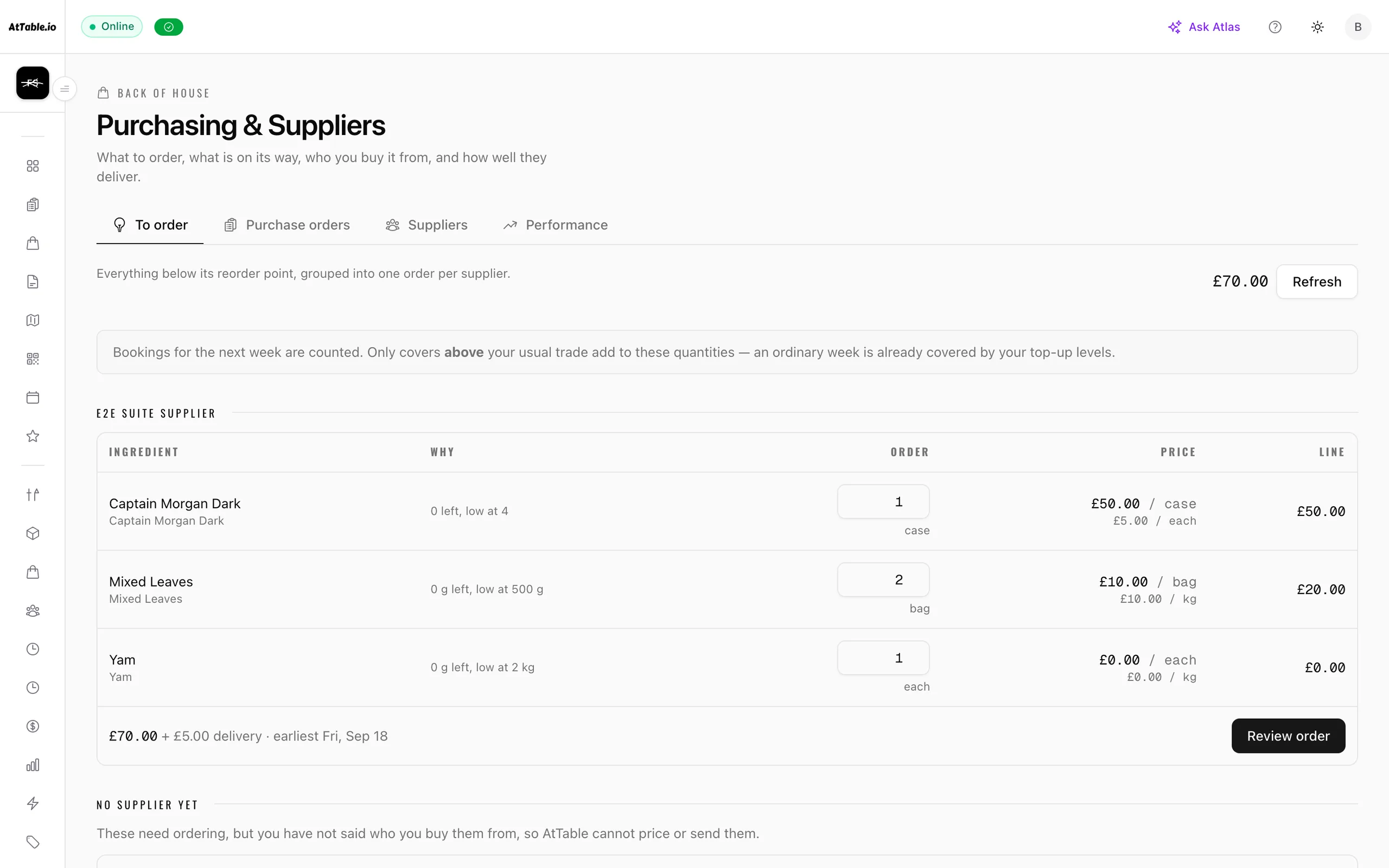
- Reorder at this, top back up to that — with the covers you have already booked added on top of an ordinary week.
- Availability that tells the truth
- When the ingredients for a dish are gone, the menu stops selling it instead of taking the order and disappointing the table.
Cost your menu using what you’re actually paying — not what someone remembers entering.
04 · Suppliers
Ordered · received · invoiced
Know when the numbers stop matching.
A supplier order can change several times between placing it and paying the invoice. Items may be substituted. Deliveries may be partial. Prices can change.
AtTable keeps the trail together so you can compare what you expected with what actually happened.
- Purchase orders
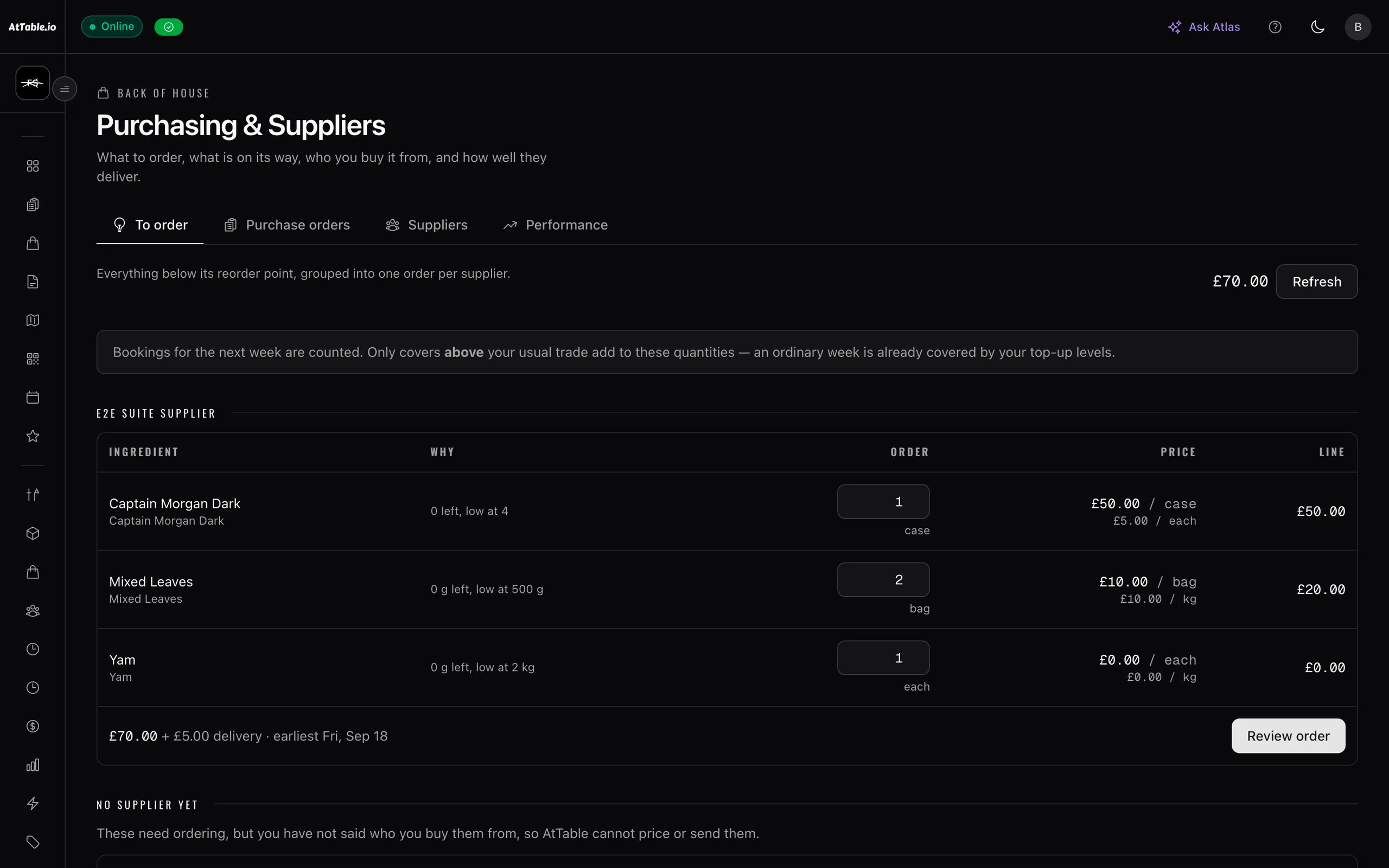
- One order per supplier, sent as a link they can answer without an account — and which never shows them your stock, your par levels or the reasoning behind the quantity.
- Goods receipt
- Sign for what actually arrived, including split deliveries and substitutions. The shelf gets what came, not what was asked for.
- Prices recorded at delivery
- The receipt is the cost truth; the order was only a quote. Every charged price joins an append-only series.
- Ordered vs received vs invoiced
- Three documents compared line by line: priced higher, billed for more than arrived, delivered and never billed. No tolerance below which a difference is quietly “fine”.
- Your suppliers, managed
- Each supplier with its own catalogue, delivery days, cut-off and the weekday you order on — so “can I still get that for Friday?” is answered by the screen instead of a phone call.
- A side of it for them
- Suppliers get their own view of the orders you send: accept, amend or price a line, and say what actually went on the van. They never see your stock or your reorder levels.
- Supplier performance
- Who delivers in full, who is late, and whose prices move — from your own orders rather than from a rating anyone can game.
Don’t rely on memory to notice a price change. Keep the evidence in the order history.
At the table
Where the numbers above come from
An order is the last thing that happens. AtTable sees the rest of it.
Before an order exists, a guest opened your menu, filtered out what they can't eat, read three dishes, asked a question, put one thing in the cart and took another out. A till sees none of that, because by the time a till is involved the decisions have already been made.
AtTable is the same system on both sides of the table — the menu your guests are using, and the record of what they did on it. That is why the numbers in the four sections above exist at all.
- No account, ever
- Personalisation here is per device and per venue. It holds no name, no email and no profile, so a returning guest gets their usual without having handed anything over — and there is no login screen between them and your menu.
- The menu remembers
- What they ordered before, the dietary filters they set last time, and the things they keep coming back to. A third visit does not look like a first one.
- Suggestions from your own floor
- What actually gets ordered together, at that time of day, on your menu — not a generic “customers also bought”. Every suggestion is recorded as shown, taken or ignored, so it has to keep earning its place.
- Questions answered at the table
- Sage answers “is this gluten-free?” and “what’s good here?” from your menu, in your voice. What it gets asked is as useful as what it answers — a dish nobody can describe is a gap you can close.
- The bits they never see
- A dish opened and abandoned, a filter that emptied the menu, a search with no results, a cart left at checkout. None of it interrupts the guest, and all of it is evidence.
The guest gets a menu that knows them. You get the reason behind every order.
Recommendations come with the Growth plan and Sage is a paid add-on — the rest of what is described here is on every plan. The pricing page prices the combination you actually want.
- 19:41
Scans the code. The menu opens — no app, no account, nothing to sign into.
The device is recognised as a third visit to this venue. No name, no email, no profile.
Guest intelligence - 19:41
The nut filter they set last time is already on, so the menu hides what they cannot eat.
A remembered dietary preference, held against the device and never against a person.
Digital menus - 19:43
Opens the Truffle Risotto, reads it for forty seconds, and goes back to the list.
Opened, dwelled, walked away — the single most useful thing your till never sees.
What almost sold - 19:44
“Is the risotto very rich?” — answered from your menu, in your words, without a walk over.
A question asked about a dish, and whether your own menu could answer it.
Sage · menu gaps - 19:46
Adds the sea bass. The cart offers the sourdough that tables ordering it usually take.
A recommendation shown, and taken — so the suggestion has to earn its place next time.
Recommendations - 19:47
Orders and pays from the phone.
A ticket to the kitchen, the stock off the shelf, and the food cost of that plate.
Food cost & stock - 21:12
Rates the sea bass on the way out.
A review against the dish they actually ate, not the venue in general.
Dish insights
Seven moments the guest never noticed, and not one of them is a survey.
Connected
Four stories, one set of numbers
See the whole picture behind the numbers.
An order affects more than revenue. It affects stock. Stock affects food costs. Supplier deliveries affect the price of ingredients. Bookings affect expected demand.
AtTable connects these parts of your operation so you can move from “something feels wrong” to “here's where the difference happened”.
Ask a question in plain English and get the figure, the read and — where there is one — a change already drafted for you to approve or ignore. It is grounded in your own trading data, it says when the evidence is too thin to act on, and it is optional: every screen it reads from is a screen you can read yourself.
- Bookings
Covers you already know about
96 booked · Sun - Orders
What those covers actually bought
312 covers · £18,410 - Stock
The food that left the shelf to make it
Ribeye −14 kg - Suppliers
What replacing it really cost
£8.40/kg · was £7.10 - The decision
Re-price it, re-plate it, or leave it
GP 73.9% → 71.3%
The decision goes back to the top — a price on the menu, a dish moved up the page, a different quantity on Friday's order — and the next Sunday is measured against the one before it.
During service
The screens the numbers come from
None of it is a report you fill in at the end of the week.
The figures in the four sections above are a by-product of running the service on AtTable — taking the order, sending it to the kitchen, settling the bill. These are the screens that produce them, exactly as they look on a laptop behind the bar.
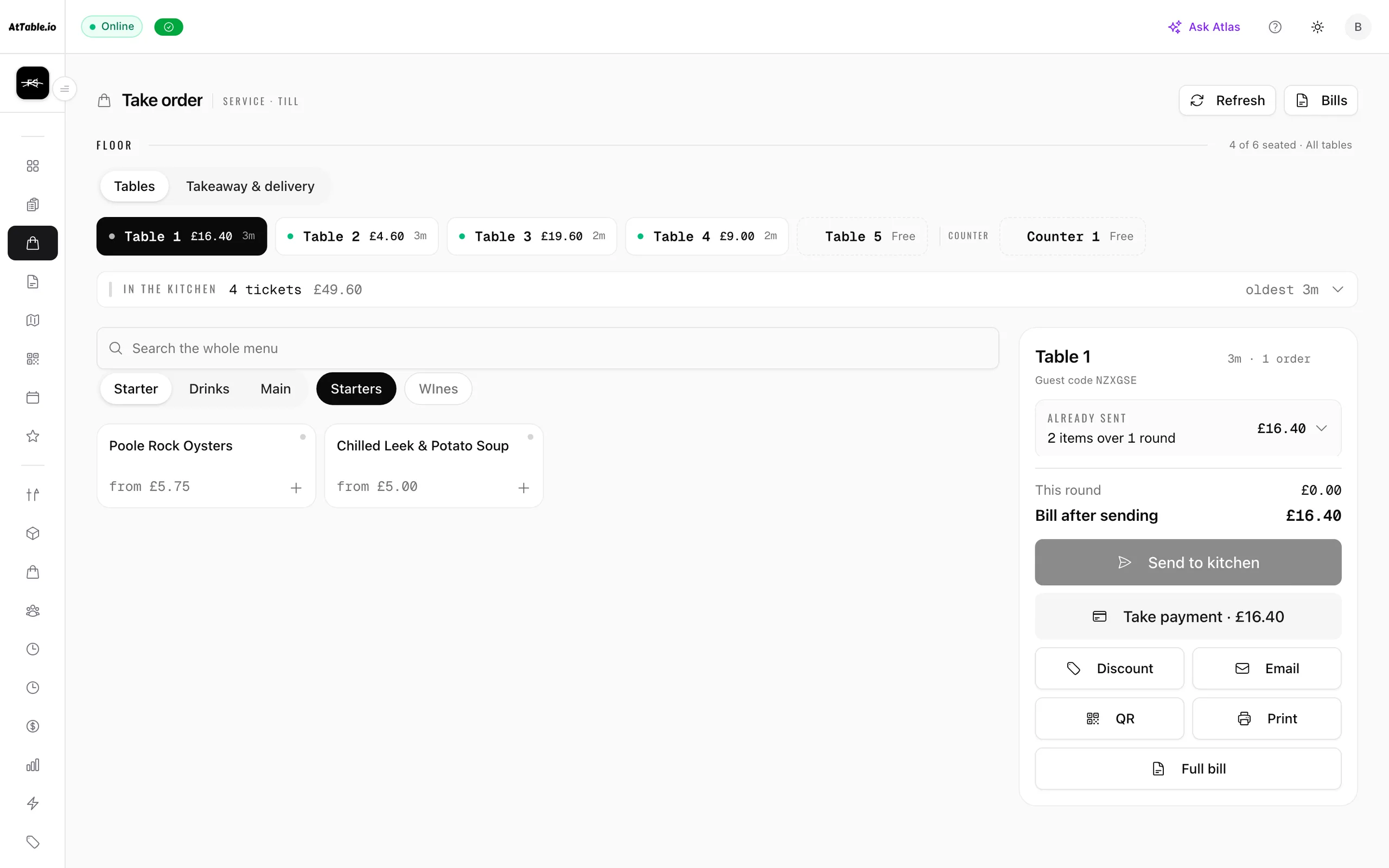
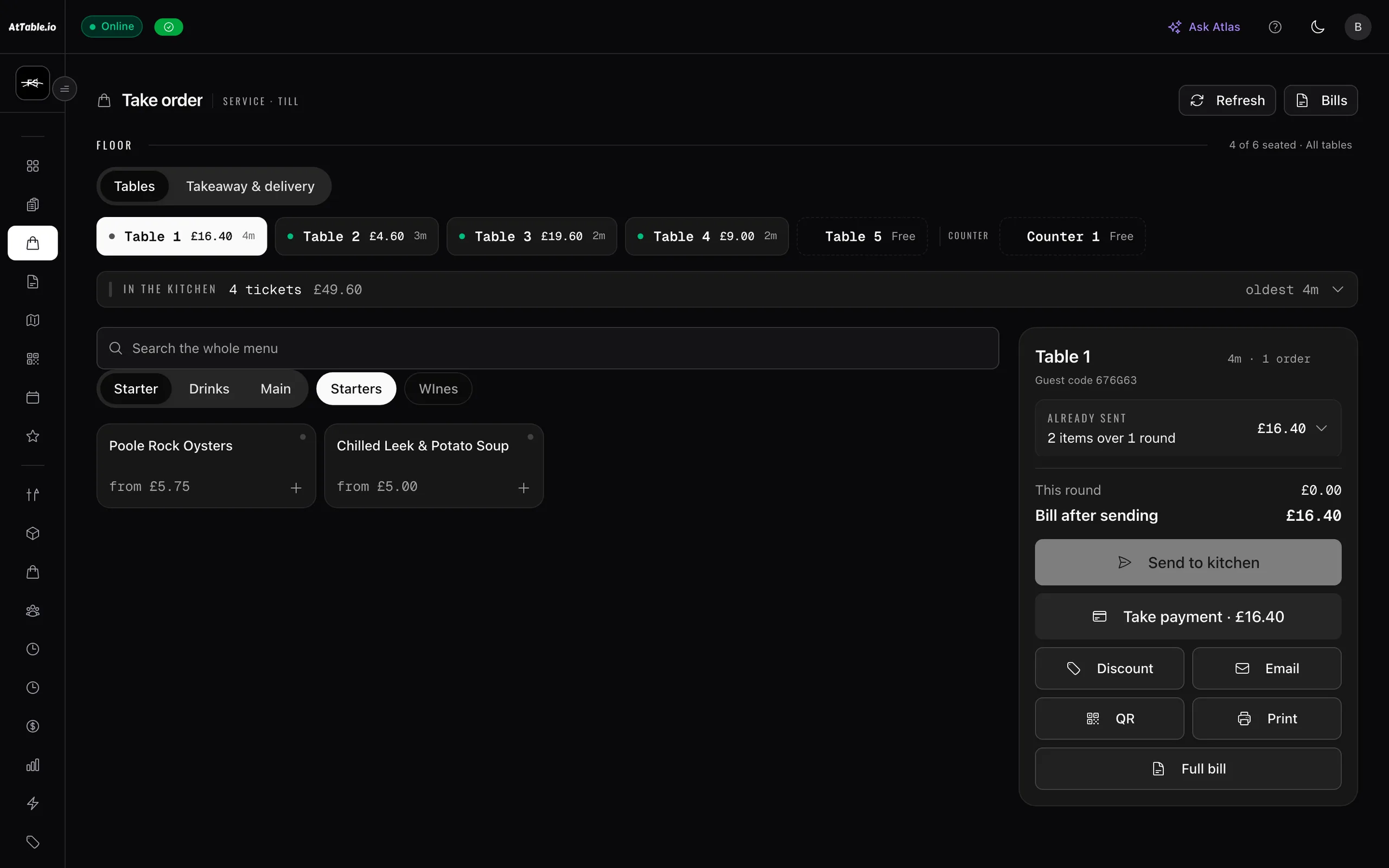
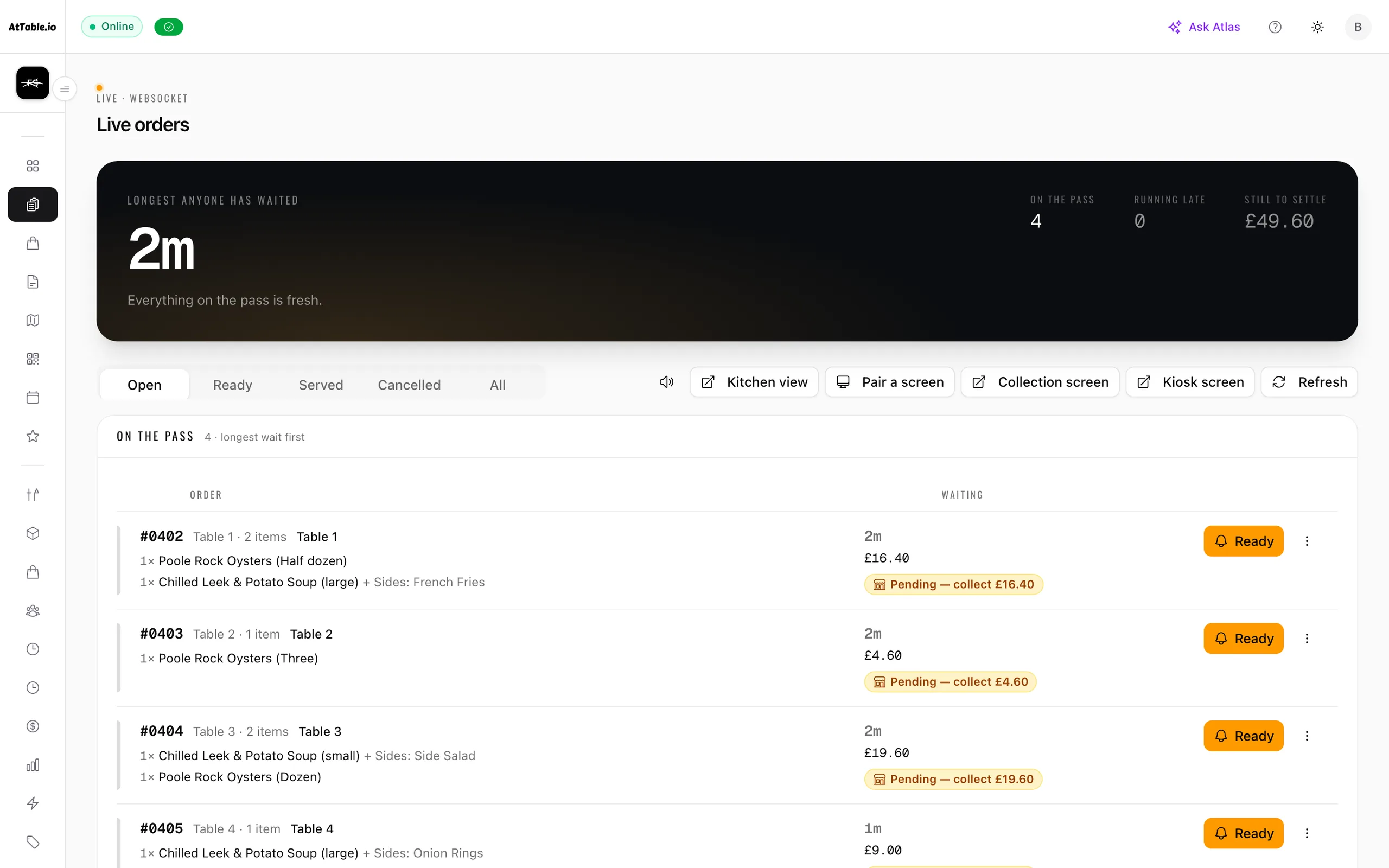
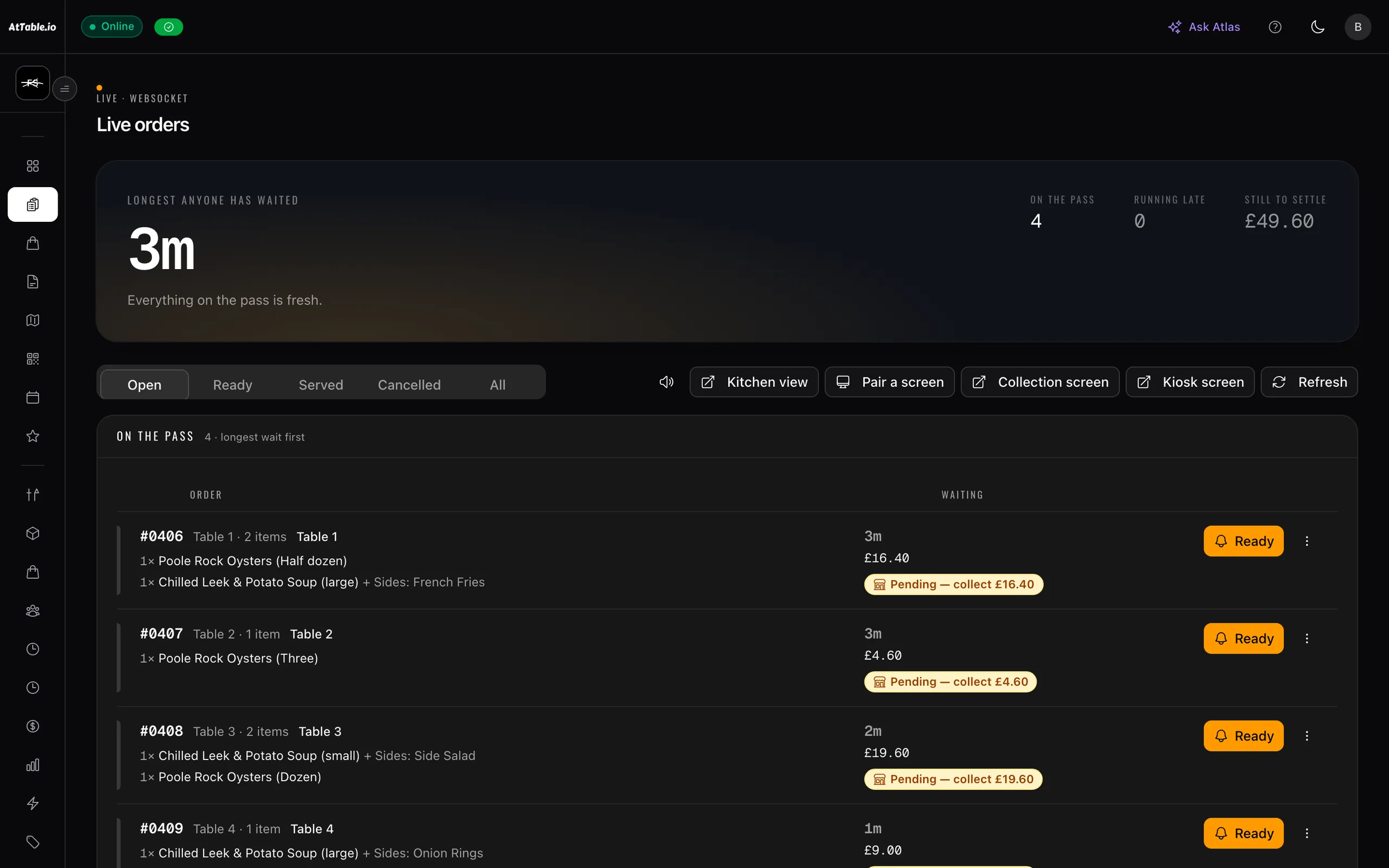
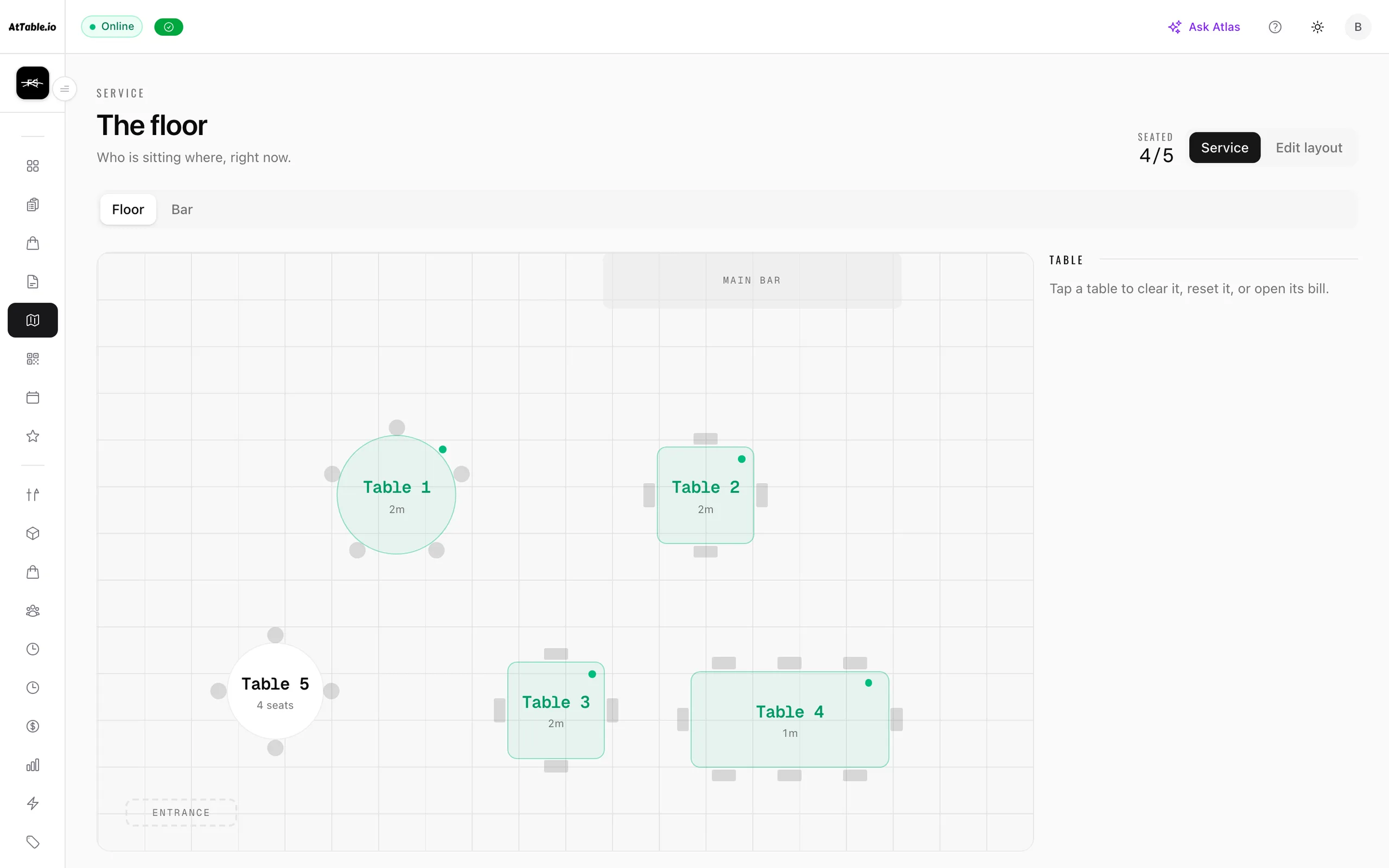
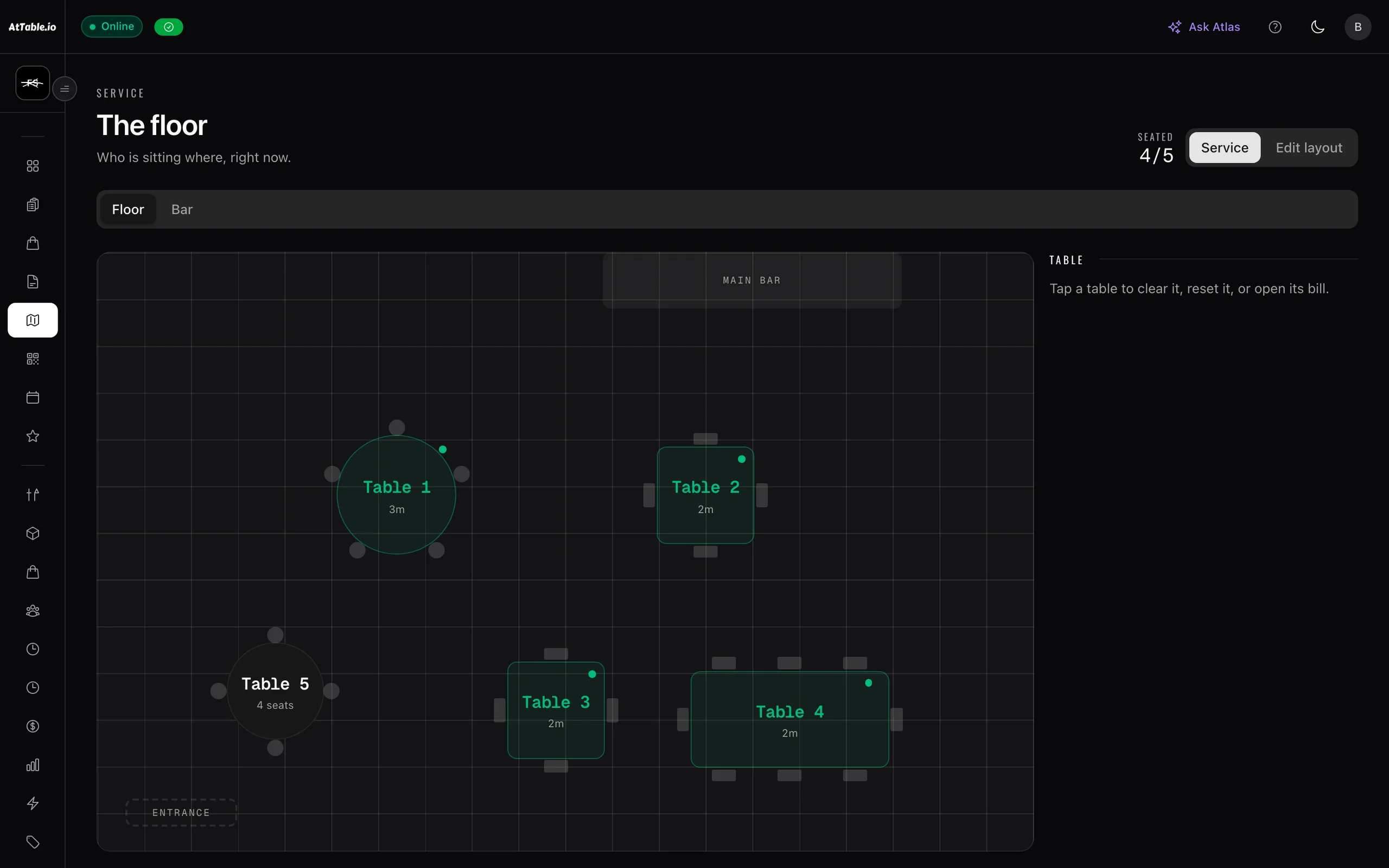
Real screens from a development venue, so the covers and totals in them are that venue's own — small, and shown rather than dressed up.
Your setup
Add to it, don’t start again
Built to add to your operation — not force you to start again.
You already have systems, devices and ways of working. AtTable is designed to add visibility and guest-facing capabilities around your operation rather than requiring you to replace everything on day one.
- Guest ordering from the table
- Kitchen tickets and workflow
- Bookings, events and deposits
- Direct ordering for pickup and delivery
- Rotas, time off, clocking in and labour cost
- Taking orders yourself, at the till
- Food costs and gross profit
- Purchase orders and supplier invoices
- Dish reviews and what they actually say
- Revenue, attribution and reporting
Worth reading before a demo rather than after one.
- A replacement for your till
- No cash drawer, no X/Z report.
- Payroll or HR
- It builds the rota and records the hours. It does not run payroll, contracts or right-to-work.
- A loyalty programme
- No points, no stamps, no tiers.
- A supplier marketplace
- Your suppliers get a portal for your orders. We do not sell you theirs.
- A public-review manager
- Guests rate the dishes they ate, on your menu. Replying to Google or TripAdvisor is not something it does.
Keep your till. AtTable is the guest-facing ordering layer, the kitchen screen, the diary, the shelf and the numbers on top of them.
What makes it different
Not “more features”
Built around the decisions you need to make.
See the revenue you nearly had
Most reporting starts at the completed order. AtTable starts a step earlier — what was opened, what reached the cart, and what never converted — because that is the only part of your revenue you can still change.
Use real supplier costs
Food-cost visibility built from actual delivery and receipt prices rather than relying solely on manually entered costs. Nothing to remember to update, and nothing that quietly stays true for a year after it stopped being true.
Follow the trail when something doesn’t match
Compare what was ordered, what arrived and what was invoiced, line by line. The difference is computed from the three documents each time you look, so correcting a receipt re-answers the question instead of leaving a stale verdict.
The difference isn't a longer feature list. It's that the operational trail stays joined up, so you can investigate where the money changed.
Pricing
No minimum term
Software should earn its place in your business.
Choose the plan and capabilities that fit your venue. No long-term lock-in. If AtTable isn't delivering value for your business, you shouldn't be trapped in a contract that no longer makes sense.
Start with what you need. Add more as your operation grows.
- 21 days free from your first order, no card required
- No minimum term and no notice period
- Cancel at the end of a period, keep your data export
- Starter
£79
per venue / monthOrdering, menus, kitchen display, bills, revenue and discounts. One location.
- Pro
£129
per venue / monthAdds bookings and events, guest profiles, email campaigns and the deeper analytics — cart abandonment, funnels, peak hours. Up to five locations.
- Growth
£199
per venue / monthAdds inventory and recipes, menu experiments, guest intelligence and multi-touch revenue attribution. Up to ten locations.
Everything that runs your venue is in the plan. Three things are priced separately, and they have one thing in common — each costs us money every time it runs: Sage, the AI waiter; Atlas, the AI analyst; and automatic menu translation. Add any of them on the pricing page and the headline price changes to the real total, before you speak to anybody.

See where your restaurant could have more control.
From orders that almost happened to supplier invoices that don't match, AtTable helps bring the important numbers behind your operation into one place. See how it works with your restaurant, your menu and your existing way of operating.
45 days to set up · 21 days free once you're live · No card required · No minimum term
Don't take our word for it. Ask an AI for a summary.
You are going to check us anyway. Here is the question already written — it opens in whichever one you use, with the prompt in the box.
“I’m evaluating software for a restaurant — one site or a small group. Based on their website, can you summarise what AtTable does, what day-to-day problems it solves across ordering, bookings, food cost, supplier invoices and staff rotas, what the case is for having those in one platform rather than separate tools, what it costs including any add-ons, and what kind of venue it suits? Note that AtTable is designed to work alongside an existing EPOS rather than replace it. Website: https://attable.io”
The answer comes from the model, not from us — it may be out of date or simply wrong. If it says something about AtTable you want checked, ask us directly.