

Serve

From phone to pass in three seconds.

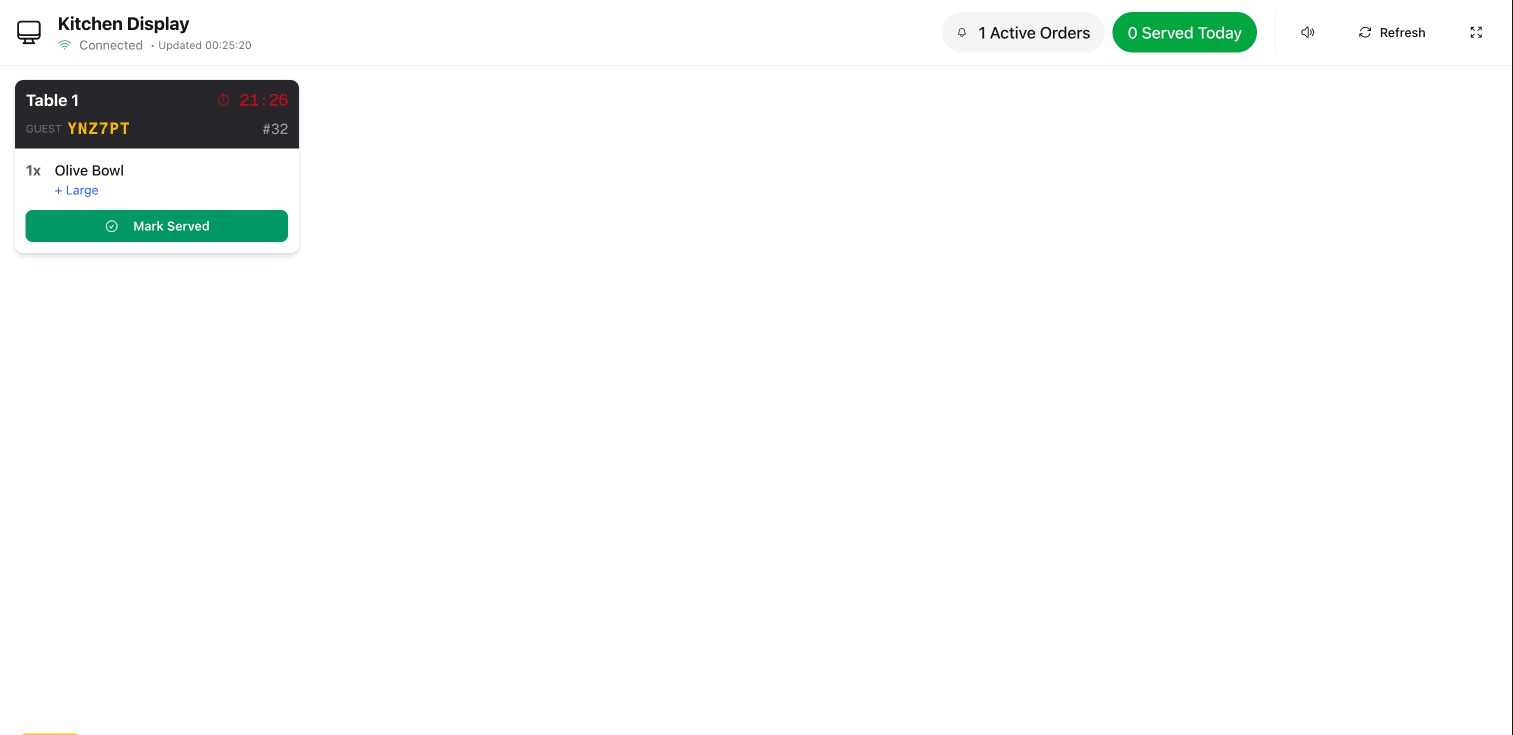
Tickets arrive grouped by course and category, age visibly while they sit, and clear with one tap. No printer, no paper, no handwriting to decipher.

  • Grouped by category
  • Ages while it waits
  • One tap to clear
The kitchen display board showing incoming tickets
Kitchen displayA real screen, not a mockup

What it does

Grouped the way the kitchen works
Tickets are broken out by menu category so the section that cooks it sees it, instead of every ticket landing whole on every screen.
You can see what is late
Each ticket carries its own age and warms as it goes. A board with an ember ticket on it is telling you something a printer never could.
Modifiers and notes attached
Whatever the guest chose travels with the item — no allergy note lost between a table and a docket spike.
Clears to the floor
Marking an item ready updates the guest’s own screen and the floor view at the same moment, so nobody has to ask.

See it

Service running19:42
Just in
1
On the pass
2
Ready
1
On the boardExample service
T-120m
  • 2×Burratano balsamic
  • 1×Sourdough
T-046m
  • 1×Sea bassno fennel — allergy
  • 2×Truffle fries
T-0914m
  • 3×Wagyu burger2 medium, 1 well
  • 1×Halloumi skewer
Pickup2m
  • 2×Sunday roast

Where it sits

Kitchen display is part of serve.

Take the order without anyone at the table. It runs on the same menu, the same tables and the same bill as everything else here — nothing to integrate, nothing to reconcile.

Understand

Know where every pound came from.

Revenue & attribution · Analytics · AI insights · Guest intelligence · Automated messaging

Grow

Turn what you learn into more covers.

Experiments · Dish recommendations · Discounts & promotions · Campaigns · Sage — AI waiter

See all fifteen
Start here

Take the printer out of the pass.

Open it on any screen you already have in the kitchen and start clearing tickets.

No card required · 15-minute setup · Cancel any time